

We sent a 6-digit code to . Enter it below to activate your account.
Your login session has expired. Please log in again.
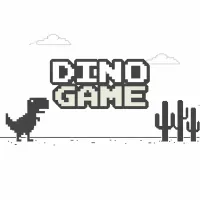
Dino Game

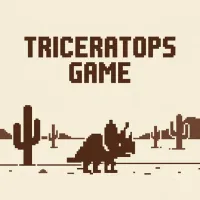

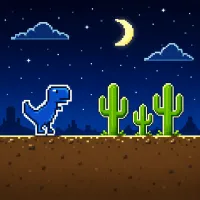
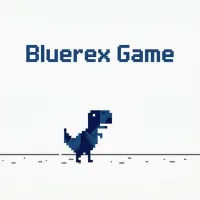
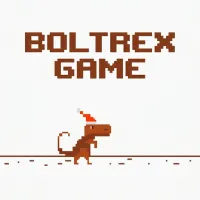
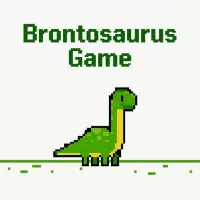
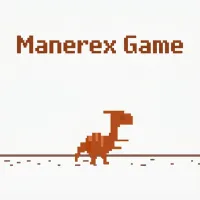
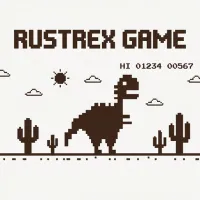
Dino Game is the classic Dinosaur Game you know from Google Chrome, now playable online anytime. This iconic arcade runner is also called Chrome Dino, the T-Rex Game, or the No Internet Game. Jump over cacti, duck under pterodactyls and see how far you can run before one mistake ends it all. Survival depends on reflexes and timing as the speed gradually increases. No download, no need to switch off your Wi-Fi. Just press the Spacebar and go.
What Is the Dinosaur Game?
Dino Game is an endless runner, not affiliated with Google, where you control a pixel T-Rex running continuously across a never-ending desert landscape. Along the way, you need to dodge a variety of dangerous obstacles, which make your run end immediately if you touch them. Your score depends on the distance traveled, so longer runs mean higher scores. With no complex setup or storyline, the game throws you straight into action, making each attempt easy to understand and replay.
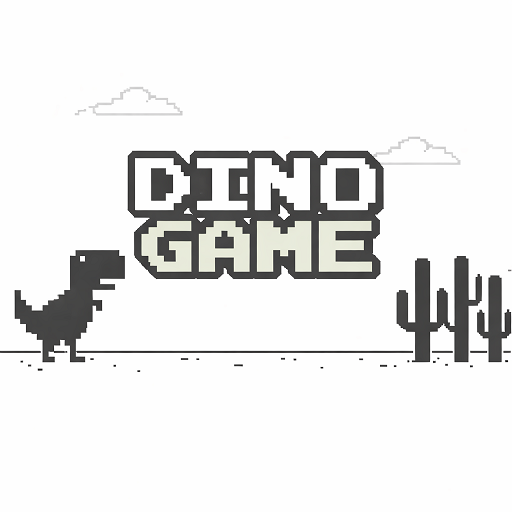
Dino Game: #1 Endless Runner for Reflex Challenges!
Where the Dinosaur Game Came From
Dino Game takes inspiration from the original Google Dinosaur Game, the offline mini-game that appears in Google Chrome whenever the internet connection is lost. The built-in experience was designed to turn a frustrating “no connection” moment into something fun and interactive, replacing the usual error page with a simple endless runner featuring a T-Rex in a desert.
Some details for the game’s development and history:
- First introduced in September 2014 by Sebastien Gabriel, Alan Bettes, and Edward Jung (Chrome team).
- The development codename was “Project Bolan,” a reference to Marc Bolan, the frontman of the band T. Rex. The T-Rex character was named “Lonely T-Rex.”
- A pterosaur was later added as a flying obstacle in a 2015 update.
- In 2018, the Chrome team said the game was being played around 270 million times each month, showing the large scale of its reach.
DinoGameOnline.io brings the same core endless-running mechanic to an online version, so you can enjoy the familiar challenge without waiting for the internet connection. This site is an independent site and is not affiliated with or endorsed by Google or Chrome.
Why Play the Dinosaur Game Online Here
You can play Dinosaur Game Online without downloading anything or disconnecting your internet connection. You can start a run right away, and each session can take only a few minutes. This setup makes the game a convenient choice when you want a quick challenge during a short break.
You also get more options than the original Chrome version. You can select Easy, Normal, or Hard difficulty based on your preferred challenge. Your best score can be saved, while the leaderboard lets you track your results against other scores. With 16 variants available, you can explore different versions of the classic T-Rex running experience from the same online site.
How to Play the Dinosaur Game
Basic Rules
The rules of Dino Game are straightforward: survive as long as possible while controlling a continuously running dinosaur. Your T-Rex runner moves forward automatically, so you need to react to obstacles at the right moment. There’s no option to slow down or stop movement. Moreover, no checkpoints or second chances appear during a run. The score increases based on distance traveled, motivating players to go further each time. Any collision immediately ends your attempt.
Controls on Keyboard and Mobile
The controls stay simple, so you can focus on timing each dino jump:
- Start: Spacebar.
- Jump: Spacebar or Up Arrow.
- Duck: Down Arrow to duck under low-flying pterodactyls.
- Restart: Enter, Spacebar, or click on the screen.
- Mobile: Tap the screen to jump.
Obstacles: Cacti and Pterodactyls
Dino Game offers several signature obstacles that require quick reactions:
- Cacti: The most common hazard, appearing in different shapes and sizes. Jump timing needs to be adjusted constantly.
- Pterodactyls: These enemies move at different heights, requiring either jumping or ducking.
- Cactus Clusters: Multiple cacti placed close together demand precise control and momentum.
Each obstacle type in this endless game feels simple at first. But combinations at higher speeds create intense situations that test reaction time and decision-making. Therefore, pattern recognition becomes essential as the run progresses.
Rising Speed and Night Mode
In Dino Game, your run starts gently, with about three seconds of open track before the first obstacle appears. The speed then increases continuously until it reaches its maximum, which gives you less time to react the longer you survive.
New obstacles also appear as your speed increases. Flying pterodactyls only enter the run after you reach a certain speed; in Normal mode, they start appearing at around 450 points, although this figure is approximate. The obstacle sequence also keeps changing, with the same type not appearing more than twice in a row, so you cannot simply memorize one repeated pattern.
The scenery adds another visual challenge as your run continues. Every 700 points, the screen switches from daytime to nighttime with a dark blue background before returning to daylight. This Dino Game night mode can briefly affect your visual focus while you react to incoming obstacles. The game also marks every 100-point milestone. When you reach 100, 200, 300 points, and so on, the score flashes and a notification sound plays, giving you a clear signal as your distance increases.
Difficulty Modes, High Scores and Leaderboards
Easy, Normal and Hard
You can choose Easy, Normal, or Hard before you start a new run in Dino Game. Normal uses the same speed as the original Chrome Dinosaur Game, while each mode provides a different level of challenge.
Mode | Starting Speed | Accelerate | Maximum Speed | Obstacles | Pterodactyls Appear (Approx.) |
Easy | Slower than Normal by about 1/3 | Slow | Lowest, about 70% of Normal | Sparsest | Very late, around 1,100 points |
Normal | Same as original game | Same as original game | Same as original game | Same as original game | Around 450 points |
Hard | About 1/3 faster than Normal | About 50% faster than Normal | Highest, about 25% higher than Normal | Densest | Almost right from the start, under 100 points |
Normal is the default mode when you enter the game. You cannot change the difficulty while a run is in progress.
Save Your Best Score and Climb the Leaderboard
You can keep track of your best score while trying to chase the highest score on Dinosaur Game. The leaderboard lets you filter results by Today, Weekly, Monthly, or All Time, giving you different time ranges for checking scores. You can also switch between the Top Score and Most Played boards. The Top Score section includes separate Normal, Easy, and Hard filters. You can play as a guest, but you need to log in or create an account to save your score to the leaderboard. Your best score and current results can then stay connected to your account.
Tips to Beat Your Dinosaur Game High Score
Simple Dino Game tips can make it easier for you to react to obstacles and keep your run going.
Time Your Jumps Late, Not Early
You should avoid jumping too early when the game gets faster. An early jump can make your T-Rex land in the middle of a group of cacti. A later jump gives you more control over your landing and helps you clear the obstacle at the right moment.
Read Obstacle Patterns Ahead
You can use repeated runs to recognize common obstacle sequences. Watching the obstacles ahead helps you prepare your next move instead of reacting only when an obstacle reaches the T-Rex. Over time, familiar patterns can make your timing more consistent.
Use Duck to Drop Faster
You can press the Down Arrow while your T-Rex is in the air to make it descend faster. This move can help you land sooner to prepare for the next jump. The technique becomes especially useful when the game reaches higher speeds and obstacles appear closer together.
The Dinosaur Game in Google Chrome
Play It Offline When the Internet Drops
When Chrome cannot connect to the internet, you can play Dinosaur Game Offline directly from this homepage. On the desktop, you can press the Spacebar or Up Arrow to start the run. On Android and iOS, you can tap the T-Rex to begin. You then control the dinosaur by tapping the screen on mobile or using the keyboard on desktop.
Open It Anytime with chrome://dino
You can open the game directly in Chrome by typing chrome://dino into the address bar. This way lets you access the game without disconnecting your internet connection. The page is a Chrome feature, while you can use dinogameonline.io when you want to play an online version instead.
"The Owner of This Device Turned Off the Dinosaur Game"
You may see this message when this game has been disabled on a managed Chrome device. Schools, companies, and other organizations can control whether users can play the game through Chrome management policies. The relevant policy is called AllowDinosaurEasterEgg, and changes to managed settings are controlled by the device administrator.
Hidden Easter Eggs: Birthday Cake and Olympic Torch
You can also find several special events in the history of the Chrome Dinosaur Game:
- In September 2018, Chrome added a birthday cake for its 10th anniversary. When the T-Rex reached the cake, it wore a birthday hat.
- In November 2018, Google added a feature that allowed players to save their high scores.
- In July 2020, Chrome added an Olympic torch Easter egg connected to the Tokyo 2020 Olympics. Reaching the torch changed the game into different Olympic-themed activities.
Dino Game Variants to Play Next
You can try different Dino Game variants when you want a fresh character or visual style while keeping the familiar endless-running format.
Classic T-Rex Reskins
These T-Rex game variants keep the dinosaur-running concept but give your dino different colors, designs, or dinosaur forms. You can choose from classic-style options such as Colored T-Rex, Blue Rex, Bolt Rex, Mane Rex, Rust Rex, Brontosaurus, and Night T-Rex Runner.
Holiday Runners
Holiday-themed versions give the endless runner a seasonal setting while keeping its familiar obstacle-dodging mechanics. You can try Halloween Runner or Santa Runner for a festive change from the standard desert setting.
Character Runners
Character-based variants replace the traditional T-Rex with recognizable characters and give each run a different visual theme. Your options include Nyan Cat, Godzilla Runner, Naruto Runner, Squid Game Runner, Joker, Batman, and Wednesday Addams.
Start Your Endless Run Now!
Dinosaur Game gives you simple controls, quick reactions, and increases speed as you run. You can play for a short break or challenge yourself to beat your previous high score. Each run gives you another chance to improve your timing and survive longer. Press the Spacebar now and see how far you can run!